Connect an AI assistant
Use Ghostpull from ChatGPT, Codex or Claude Code: the assistant connects to Ghostpull's MCP server, and you log in to Ghostpull once in the assistant.
-
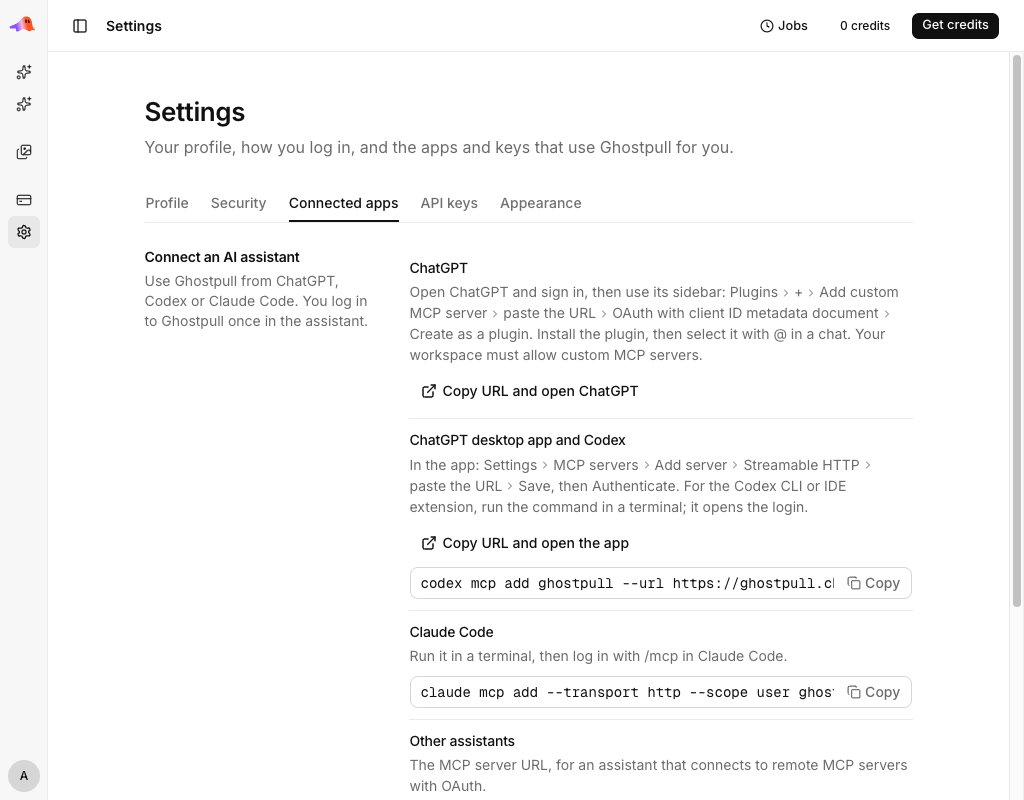
In the web app, open the account menu at the bottom of the sidebar, select Settings, then the Connected apps tab.
-
Follow the steps shown next to your assistant: ChatGPT, ChatGPT desktop app and Codex, Claude Code, or Other assistants for any assistant that connects to remote MCP servers with OAuth.
-
Log in to Ghostpull when the assistant asks you to, and allow it access.
The assistant then shows up in the Connected apps section on that tab. Disconnect it there to take its access away. Account API keys cannot be used to connect an assistant; the connection uses your Ghostpull login.