API quickstart
Make your first API call: list the Addons your account can run.
Before you start
You need a Ghostpull account and curl. The commands come for bash and
zsh, fish, and PowerShell 7 or later; pick your shell in the tabs.
Steps
-
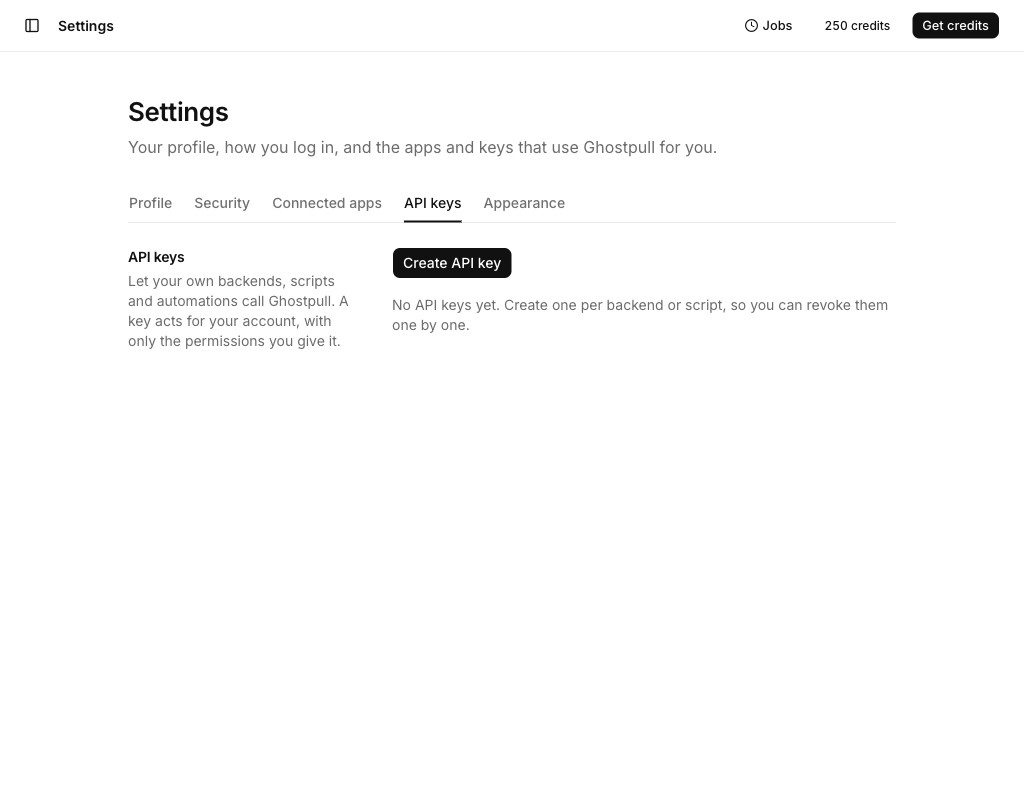
In the web app, open the account menu at the bottom of the sidebar, select Settings, open the API keys tab and select Create API key.
-
Name it, select List Addons, choose when it expires, and select Create key.
-
Copy the key. Ghostpull shows it only once.
-
Call the API with it:
- bash / zsh
- fish
- PowerShell
export GHOSTPULL_URL="https://ghostpull.chopchop.shop"export GHOSTPULL_API_KEY="gp_…"curl "$GHOSTPULL_URL/api/v1/addons" -H "x-api-key: $GHOSTPULL_API_KEY"set -gx GHOSTPULL_URL "https://ghostpull.chopchop.shop"set -gx GHOSTPULL_API_KEY "gp_…"curl "$GHOSTPULL_URL/api/v1/addons" -H "x-api-key: $GHOSTPULL_API_KEY"$env:GHOSTPULL_URL = "https://ghostpull.chopchop.shop"$env:GHOSTPULL_API_KEY = "gp_…"curl.exe "$env:GHOSTPULL_URL/api/v1/addons" -H "x-api-key: $env:GHOSTPULL_API_KEY"
The answer lists each Addon with the inputs it needs and its displayed credit price:
{
  "addons": [
    {
      "id": "lifestyle-scene",
      "title": "Lifestyle scene",
      "description": "…",
      "inputs": [],
      "pricing": { "credits": 10 }
    }
  ]
}
inputs lists what a run of the Addon needs; it is shortened here.
Next
- Authentication: give a key only the permissions it needs.
- Upload media.